> For the complete documentation index, see [llms.txt](https://docs.cinedream.io/llms.txt). Markdown versions of documentation pages are available by appending `.md` to page URLs; this page is available as [Markdown](https://docs.cinedream.io/troubleshooting/colors-in-cinedream-dont-match-viewer-in-editor.md).
# Colors in CineDream don't match viewer in editor
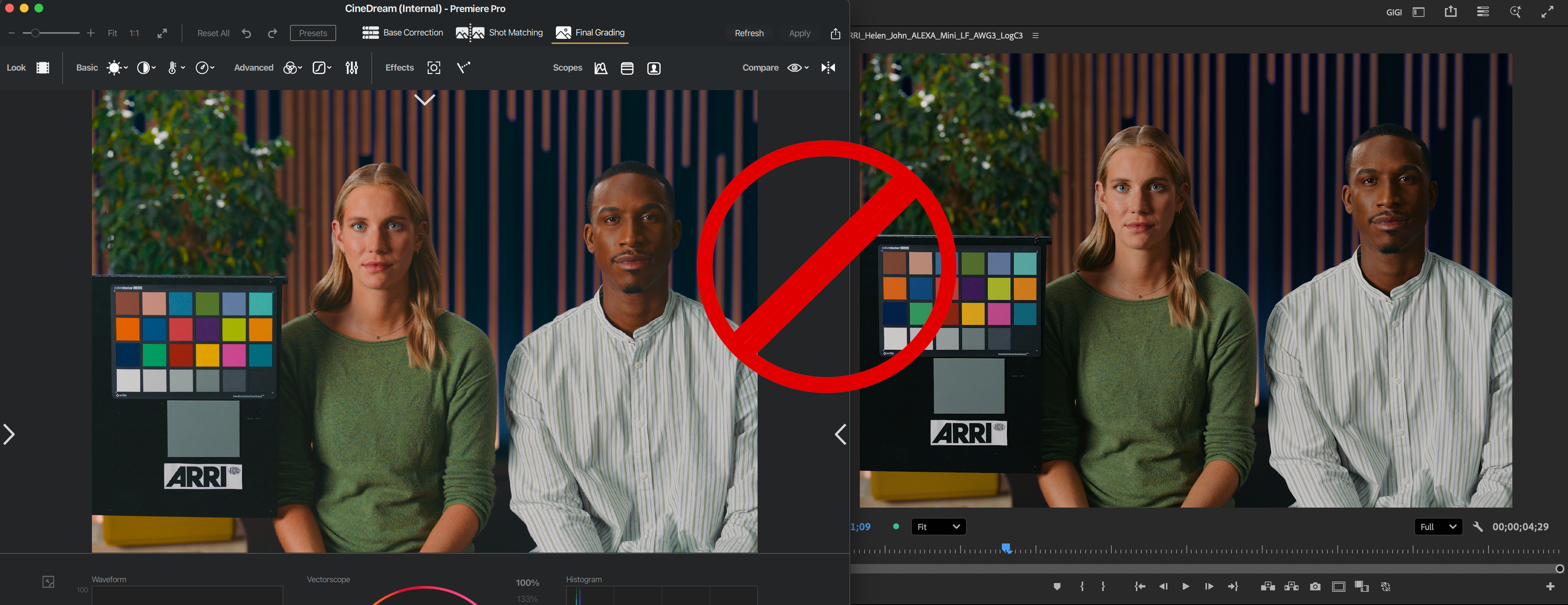
CineDream viewer vs Adobe Premiere Pro Viewer mismatch
If you are experiencing mismatch issues between what you see in CineDream’s viewer and in the host application, it is most likely a color management issue.
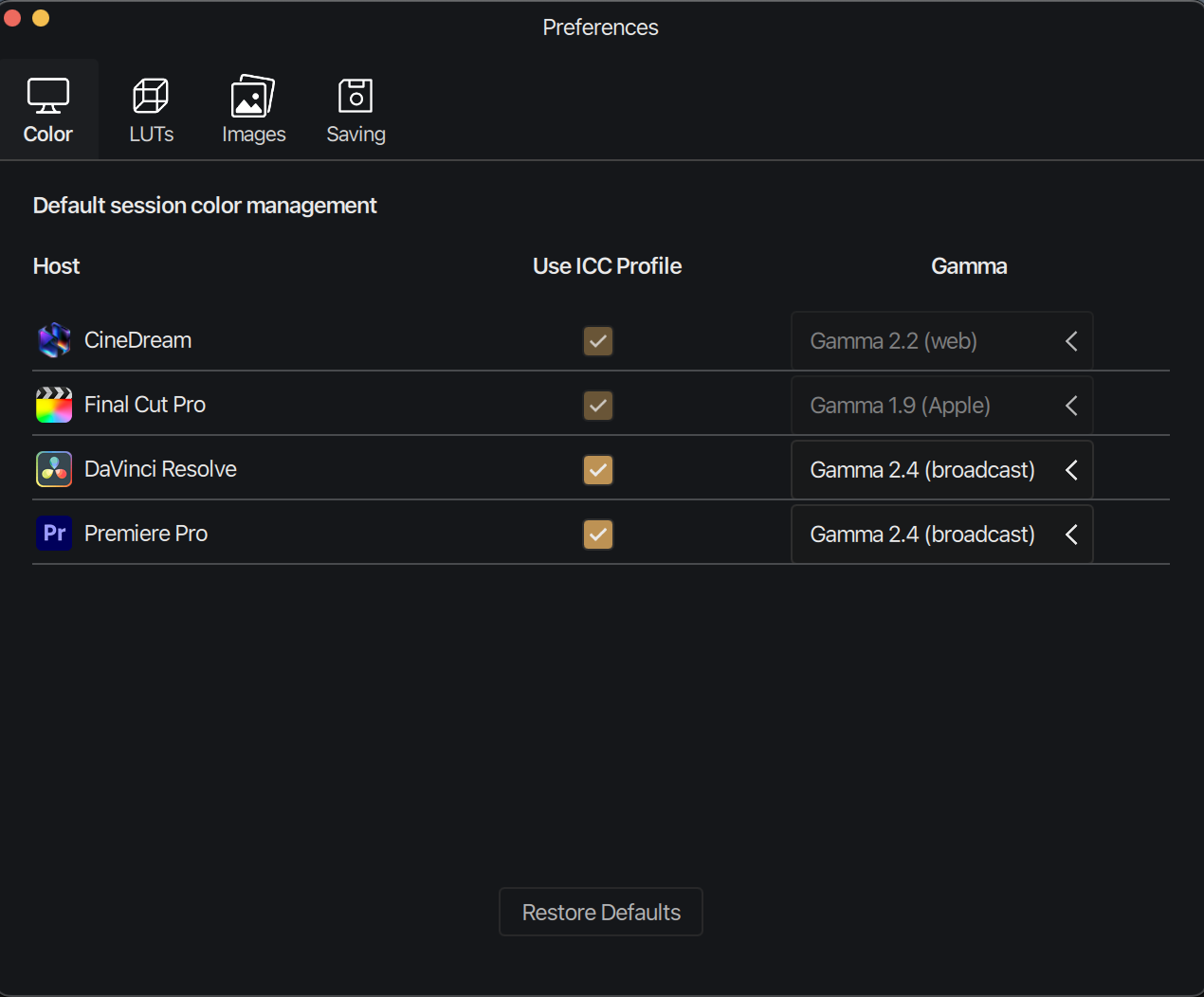
We want to make sure both the host application and CineDream are working in the same color space and gamma. CineDream delivers in the Rec709 color space and can be set to use gamma 2.4 for broadcast, 2.2 for web and 1.96 for quicktime.
The other setting to consider is you monitor’s ICC profile. The ICC profile does the corresponding transformations so your images are displayed correctly in your specific monitor.
The ICC profile settings should match between the host application and CineDream.
In the next sections we’ll show you how to change these settings on both the host application and CineDream in order to achieve a 1:1 match.
You’ll find CineDream color management settings under Preferences/Color.\
\
Mac: CineDream menu → Preferences\
\
Windows: Edit menu → Preferences